Remote performance assignment
Students record against one guide, send local phone clips, and the teacher assembles the final stack.
Teacher and choir pack
Give everyone one guide, one cue, and one vertical recording brief. Then assemble the phone takes on a Mac without accounts, cloud uploads, or a pro-editor timeline setup.
Live $149 team-pack checkout. Direct-download beta Mac app. Slate-assisted automatic lineup for TakeStack-recorded takes, plus manual fine-tuning by cue.
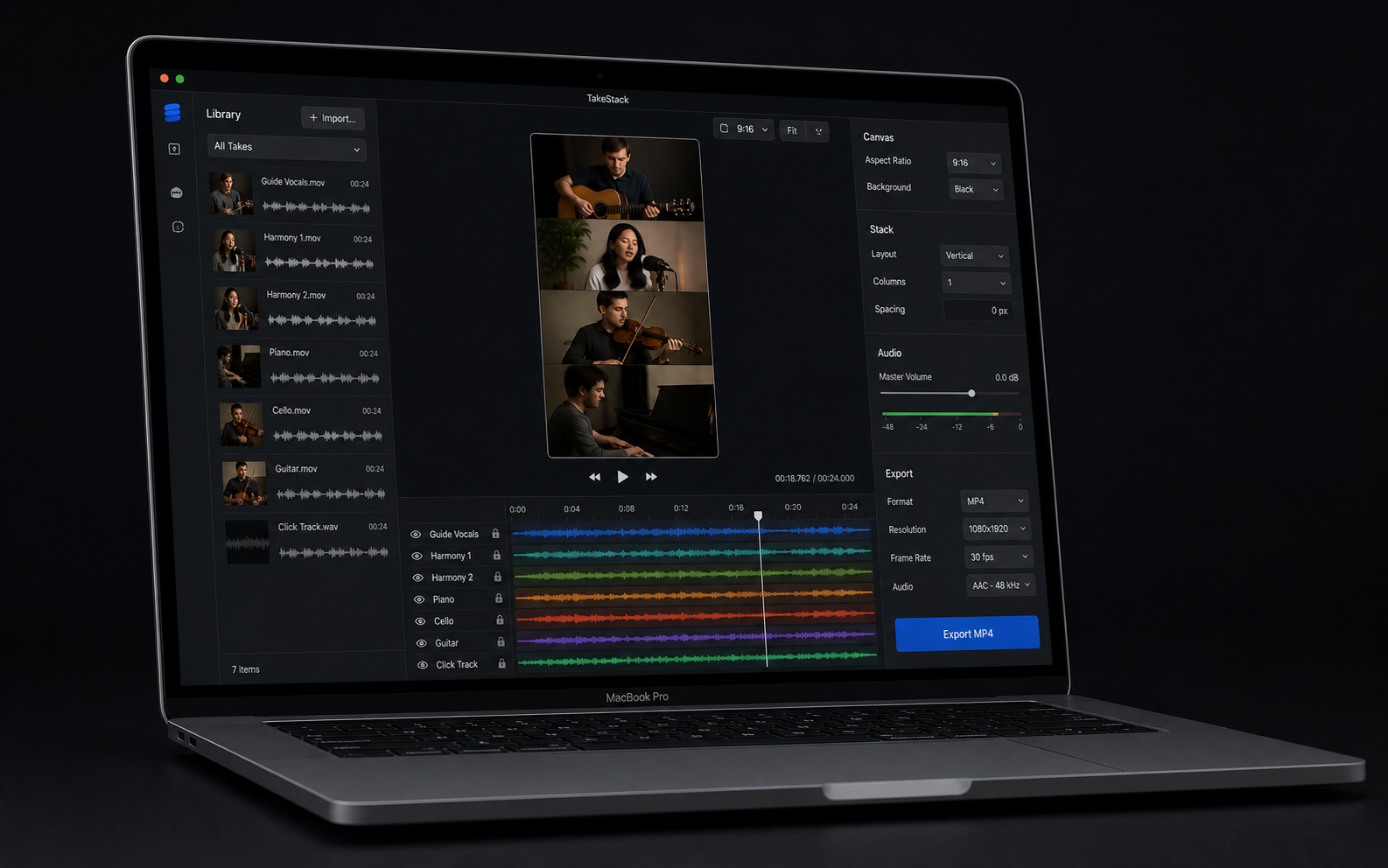
The team pack is for groups that need clear capture instructions and a fast local assembly workflow before a rehearsal clip, concert promo, class project, or worship announcement goes out.
Share the same guide track, count-in, or rehearsal recording so every take follows one timing reference.
Have each singer or player include a clap, lyric, count, or first note that can be lined up quickly.
Keep source files local and portrait-oriented when the finished video is for Reels, TikTok, or Shorts.
Import the takes, choose the guide, line up the cue, use a music-friendly layout, balance sound, and export MP4.
This is intentionally simple for launch: five seats, direct delivery, and a support thread for setup feedback. The team checkout is live now; school deployment flow comes later if real groups ask for it.
Keep the first paid group projects narrow so the beta can deliver value quickly.
Students record against one guide, send local phone clips, and the teacher assembles the final stack.
Directors can start with a quartet or small section before trying a larger virtual choir layout.
Teams can turn remote parts into a short vertical announcement, rehearsal proof, or social clip.
Include the number of seats, whether the editor Mac is ready, and what the first video needs to show. The fastest useful response is an honest yes/no on whether the current direct beta fits the job.