After purchase
Check your Stripe receipt email for TakeStack delivery.
Founder licenses, team packs, and concierge sprints are fulfilled manually during the direct-download beta. Keep the Stripe receipt email handy; that is the delivery and support address.
Direct-download beta Mac app. Slate-assisted automatic lineup for TakeStack-recorded takes, plus manual fine-tuning by cue.
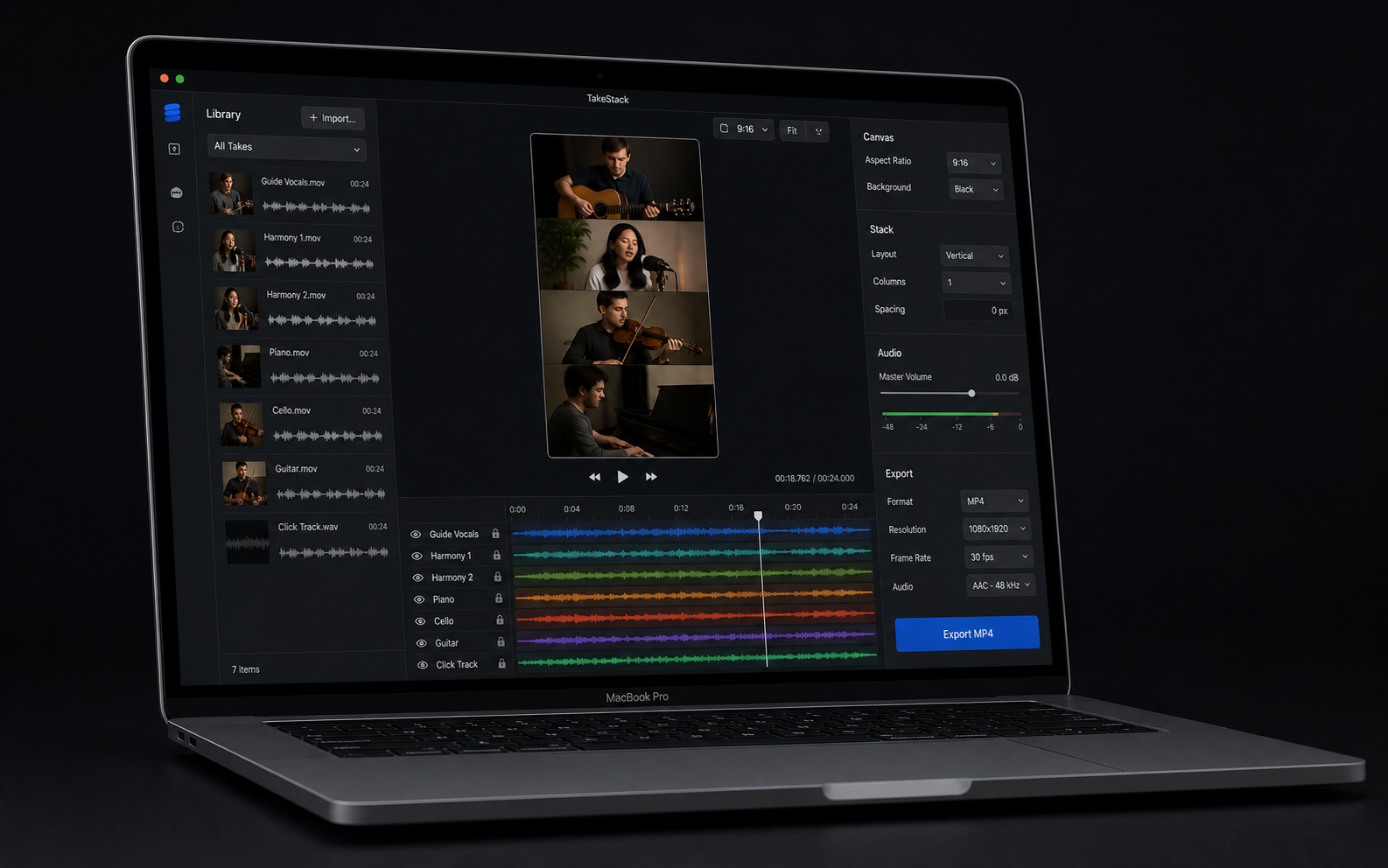
What happens next.
Use this page as the Stripe confirmation handoff. It tells buyers what to expect before the private delivery email arrives, points to the in-editor guided First Export strip, and gives group buyers the setup details to send back. If the buyer needs instant access before the delivery reply arrives, the unlisted direct-beta download handoff is available at /founder-download.
-
Confirm receipt
Look for your Stripe receipt email. The same address is used for the app delivery and founder support.
-
Watch for delivery
The founder license or team pack is delivered manually with the Mac app zip, checksum, and install guide. The unlisted buyer download page can be used for instant direct-beta access when support points you there.
-
Verify and open
The current Mac build is Developer ID signed and notarized by Apple. Compare its SHA-256 checksum with the buyer handoff before opening.
-
Use the guided First Export strip
Choose Project > Open Demo Project, then use the guided First Export strip above the preview to press Play, line up takes, choose a stack style, Export MP4, copy a share caption, or send an export report.
-
Report or reply if blocked
After the demo export, use Support > Send Export Report... if you are willing to share source and export outcome. First 10 paid buyers can reply before 6pm Ireland time for a same-day founder export check by email. Reply to the delivery email for setup help or a 14-day founder refund if the beta cannot get you to an export.
Founder license, team pack, or concierge sprint?
Solo buyers should start with the demo project and one real music-video export. Team-pack buyers should reply to the receipt email with the group details. Deadline buyers should use the concierge sprint path so the first-video support scope is clear before kickoff.
- Founder license: send the app to the Stripe receipt email and start with Project > Open Demo Project plus the guided First Export strip.
- First-buyer export check: for the first 10 paid buyers, reply to the Stripe receipt with the source setup, demo-export blocker, or next-step question. This is email help, not done-for-you editing, live setup, or generic waveform matching.
- Team pack: reply with group size, Macs available, first-video deadline, and who will edit the final stack.
- Need more seats? Read the $149 team-pack details or use Buy the 5-seat team pack.
- Need deadline help? Read the $499 concierge sprint scope or use Buy the concierge sprint.
- Need instant access? Use the unlisted direct-beta download handoff only if you bought TakeStack or received a seed-license reply.
- Refund path: 14-day founder refund if the beta cannot get the buyer to a real music-video export.
- Privacy: TakeStack works with local files and does not upload buyer videos in the MVP.
Need help before the delivery email arrives?
Email hello@cheerfulduck.com with the Stripe receipt address, whether this was a founder license, team pack, or concierge sprint, and the first video you are trying to make.